
Playing Card Design — Templates, Specs & Layout Guide
Good playing card design is mostly discipline about a few numbers: bleed, safe zone, resolution, and color space. Get those right and almost any visual direction prints the way you drew it. Get them wrong and the die trims your artwork.
- Minimum
- 15 decks
- Turnaround
- 2–4 weeks
- Printed in
- Orlando, FL
What size should I use for playing card design?
Use 2.5 by 3.5 inches trim for poker-size cards or 2.25 by 3.5 inches for bridge-size cards. Add 0.125 inch bleed on all four sides and keep critical content 0.125 inch inside the trim. Choose the size before designing the matching tuck box.
What resolution and color mode are best for card design?
Build playing card artwork at 300 DPI in CMYK and export a print-ready PDF when possible. Keep logos as vector artwork, extend backgrounds through the bleed, and do not place text or important symbols close to the cut line.
Can I design playing cards without a professional designer?
Yes. Start with a free poker, bridge, or tuck-box dieline, or use the online designer for a guided workflow. If you already have artwork, a human prepress review checks bleed, resolution, color space, and dieline fit before the proof is approved.
Where can I print a deck after designing it?
After the artwork is ready, submit it for a quote and file review. Mr. Playing Card prints custom decks in Orlando from a 15-deck minimum, with digital proofing before production and options for paper, plastic, packaging, and finishing.
- 1/8 in bleed
Extend artwork past the trim on all four sides so no white edge appears.
- 300 DPI minimum
Anything lower goes soft once it is printed at card scale.
- CMYK, not RGB
Design in CMYK so on-screen color matches what comes off press.
- Free dielines
Download the correct template for your card size before you start.
Everything that shapes your deck — stock, size, finish, packaging, and the file you send us.
What are the correct dimensions for a playing card?
Poker size is 2.5 × 3.5 inches; bridge size is 2.25 × 3.5 inches. With 1/8 inch bleed on every side, your poker artboard should be 2.75 × 3.75 inches, and critical content should stay 1/8 inch inside the trim line.
Jumbo, mini, and custom dies each have their own dieline. Pull the exact file from the templates page rather than scaling a poker template — corner radius and safe zone do not scale linearly.
How should the back design be laid out?
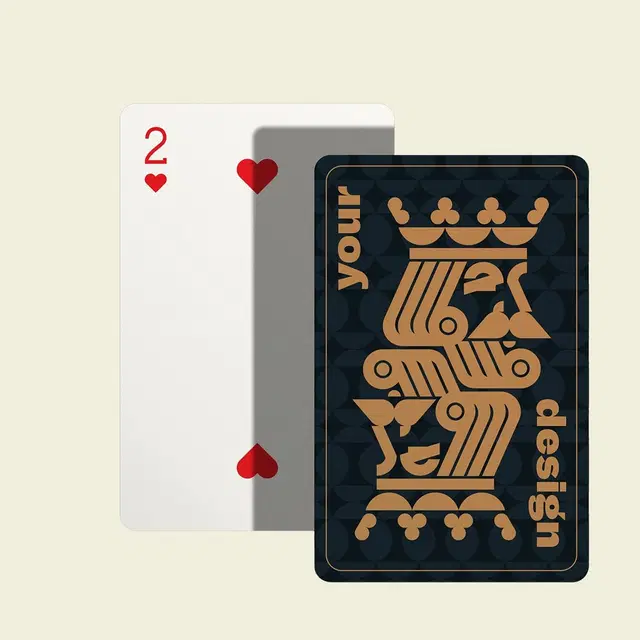
Backs should be rotationally symmetric — identical when the card is turned 180 degrees — unless you specifically want a one-way deck. An asymmetric back lets any observant player track card orientation through a shuffle.
Keep the back's border generous. Cutting tolerance on any press is roughly 1/32 inch, so a thin border that looks precise in your file will look uneven across a printed deck. A wider border, or a full-bleed pattern with no border at all, is far more forgiving.
How do you design the faces?
If the deck needs to be played with, keep indices in the standard top-left and bottom-right corners at readable size, and keep suit colors conventional enough to distinguish at a glance in poor lighting. Fanning a hand is the real usability test.
For art decks, affirmation decks, and display pieces those constraints relax. Our guide to using playing card templates walks through the face layout grid in detail.
How much do custom playing cards cost?
Cost depends on four things: quantity, card stock, card size, and packaging. Because those combinations change the number meaningfully, we do not publish a flat price list on this page — the quote tool prices your exact configuration in about thirty seconds.
Enter your deck count, pick a stock, and the calculator returns real per-deck and total pricing along with a downloadable quote. There is no obligation, and every quote includes a free file review before anything goes to press.
Do I need a designer?
Not necessarily. The online designer builds a printable deck in the browser from your own images and handles bleed and placement for you, which covers most photo decks and logo decks.
For fully illustrated decks, design it in Illustrator, Photoshop, InDesign, or Affinity against our dieline and export a print-ready PDF. Either way, our prepress team reviews your files free before anything is scheduled.
See your price
Pricing depends on your quantity, stock, size, and packaging. The quote tool prices your exact configuration and gives you a written quote to download — no sales call required.
Build My QuoteFrequently asked questions
- What size should I design playing cards at?
- Poker: 2.5 × 3.5 in trim, 2.75 × 3.75 in with bleed. Bridge: 2.25 × 3.5 in trim. Always build against the dieline for your chosen size.
- How much bleed do playing cards need?
- 1/8 inch on all four sides, with critical artwork kept 1/8 inch inside the trim line.
- Should playing cards be designed in RGB or CMYK?
- CMYK. RGB files get converted at prepress, and saturated RGB blues and greens shift noticeably when they do.
- Can you design the deck for me?
- We do not offer full illustration services, but the online designer handles photo and logo decks, and prepress corrects minor file issues at no charge.