
Design your own custom playing cards.On press in days.
The fastest way to go from idea to printed deck. Drop in artwork, pick a stock and finish, preview every face, and order in minutes — from 15 decks up to 100,000+.
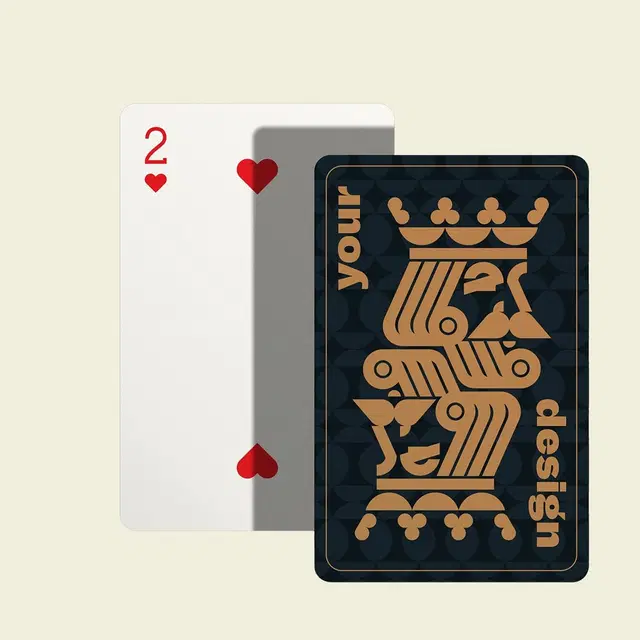
Everything you need to ship a real deck.
No card-printing experience required. The designer handles bleed, safe zones and color profiles — you focus on the art.
Drag in print-ready PDFs, PNGs or layered files — we accept what you've got.
Add names, dates, or full custom indices on faces and backs.
See all 54 cards mocked up before the press ever runs.
Metallic foils, embossing, spot UV and linen textures on demand.
From blank canvas to finished deck in four steps.
- 01Start with a template
Download our free dielines or open the designer with the right bleed and trim baked in.
- 02Build your deck
Drop in artwork for backs and faces, set finishes, edition size, and tuck box style.
- 03We review your files
A real print specialist checks color, bleed and resolution — and fixes issues for free.
- 04Approve a hard proof
Optional press-printed proof on your actual stock before we run the full edition.
Not a designer? You're still in good hands.
Every project gets a free pre-press review from a real print specialist. If your files need work, we'll tell you exactly what to fix — or fix it for you.
Talk to a designerOur in-house team can lay out backs, faces, tucks and edition seals from scratch — by the hour or by the project.
Grab our templates with bleed, safe zones and dieline guides preconfigured for every card size.
We'll upres, color-correct and prep all 54 frames so they actually print like the previews look.
Card design file setup: size, bleed, color and layers.
Every number you need to set up a print-ready file, whether you design in the online card maker, Photoshop, Illustrator, Figma, Affinity or Canva.
| Spec | Requirement |
|---|---|
| Poker trim size | 2.5" × 3.5" (bridge 2.25" × 3.5", jumbo 2.75" × 4.75") |
| Bleed | 0.125" on all four sides — poker artboard becomes 2.75" × 3.75" |
| Safe zone | Keep text and logos 0.125" inside the trim line |
| Resolution | 300 DPI at final size — 750 × 1050 px for a poker face before bleed |
| Color profile | CMYK. RGB files are converted, which shifts neons and pure blues |
| Transparency | Flatten drop shadows and blend modes before export |
| Layers | Layered AI and PSD accepted; print-ready flattened PDF preferred |
| Corners | Rounded corners are cut at press — no need to round them in artwork |
Design your own poker cards
Standard 2.5" × 3.5" poker size on 300 GSM black-core stock, 54 cards with custom faces, backs and indices. See poker card specs.
Make a photo deck
Drop 54 photos onto 54 faces — every card can be different at no extra cost. Shoot or crop at 300 DPI so faces stay sharp after trim.
Design the tuck box too
Free tuck dielines with fold and glue lines marked, plus foil, soft-touch and spot UV options. Grab them on the templates page.
How do you design your own playing cards?
Start from a free poker, bridge, or jumbo template with bleed and safe zones already marked, lay out the backs and faces at 300 DPI in CMYK, then upload a print-ready PDF. A print specialist reviews the files free within 24–48 hours and sends a digital proof before press.
Is there a free online playing card maker?
Yes. The online designer is free to use — upload your own art for the backs and faces, add typography, and preview all 54 cards before ordering. There is no design fee and no subscription; you only pay for the printed decks, starting at a 15-deck minimum.
Can every card in the deck have a different design?
Yes. Every face can carry unique art, text, and layout at no extra cost, because the whole deck is printed digitally as one job. Backs are usually identical across the deck but do not have to be. Photo decks, team decks, and 54-illustration art decks all print this way.
What color profile and resolution should playing card art use?
Build artwork in CMYK at 300 DPI minimum at final card size — 750 by 1050 pixels for a poker card before bleed. RGB files are converted to CMYK, which shifts bright neons and pure blues, so convert and check color yourself if exact matching matters. Rich blacks print deeper than 100% K.
Do transparency and layers print correctly on playing cards?
Flatten transparency before exporting. Drop shadows, blend modes, and transparent PNG layers can shift or band on press, so export a flattened print-ready PDF at 300 DPI. Layered AI and PSD files are accepted too, and the free file review flags any transparency that will not reproduce.
Can you design a custom playing card deck for me?
Yes. In-house designers lay out backs, faces, tuck boxes, and edition seals from scratch, billed by the hour or by the project. AI-generated decks are also welcome — art is upresed and color-corrected so all 54 frames print like the previews look. Every order includes free file review.
Ready to print your custom playing cards?
15-deck MOQ. Free file review. Digital proof before press. Printed in Orlando, FL.